Below you will find pages that utilize the taxonomy term “X65”
Posts
read more
Beware of Non-Legit Indiegogo Campaigns
There is an ongoing Indiegogo campaign called “X65GS 65816 Gaming Console”, see screenshot below.
I - as the creator of the x65 project - do not support and do not endorse this campaign.
In the campaign page they reused my own ‘amateur’ photos of that one x65-sbc device, which is right now on my work-desk at home. IT MEANS: they do not have the capacity or knowledge to produce own replicas of the x65-sbc computer for testing and marketing purposes, yet they have the guts to request money from unsuspecting customers!
Posts
read more
New x65 Debugger in the textual Framework
I started a new debugger tool for my x65 project. Previously I created a dozen of single-purpose python scripts (running on a linux PC) that let me single-step the CPU, read CPU registers, dump memory and so on. The scripts use a common ‘backend’ modules to connect to the x65 hardware over the USB / FTDI interface, but otherwise each script acts on its own.
These python scripts and modules are located in the project subdirectory x65pyhost:
Posts
read more
Enclosure for X65
I designed an enclosure box for the x65-SBC computer. For modelling I used Siemens Solid Edge 2024 CAD software, of which I have the Employee Edition. (I think it is just similar to the free Community Edition, but I did not verify.)

The enclosure box is composed of ’top’ and ‘bottom’ parts which can be 3d-printed individually. The parts are screwed together with four M3x25 screws and M3 nuts, with the PCB held in the middle:
Posts
read more
Dreamtracker's Rabbit Hole
As mentioned in previous post, Matej asked me if Dreamtracker app is running on X65. I told him that yes, it should run, but better to test it first myself. I downloaded Dreamtracker in its current version V0.71, fired it up, and well, after a promising start - I could see its main menu for a split second - the program crashed into the Monitor…. Well, that felt embarrasing :o
This youtube video shows the crashed start:
Posts
read more
The X65 Saga Continues
It’s Autumn again and I am revisiting my Project X65. My list of to-do tasks is endless and growing still :-)
-
finishing tests of the A1 prototype
-
load BOM to Mouser
-
testing the USB interface
-
better ESD concept
-
indication of stopped CPU
-
consider new extension connector
-
consider if SDMMC power should be switched
-
feasibility of machine assembly of prototypes
-
check the new SMC code in CX16
-
check the new 65816 code in CX16
Posts
read more
X65-SBC Video-Terminal for the Forth OF816 Interpreter
In the previous post I have mentioned that I am working on a port of the 32-bit Forth interpreter OF816 to my X65-SBC, an 8/16-bit retro computer that I am building. The software runs on the X65-SBC in the 65C816 processor, but the user textual input and output was so far realized via the USB/UART interface terminated on a host PC in a terminal emulator (e.g. putty).
As the next logical step, shown in the demo below, I have implemented a video text terminal using the VERA chip and the VGA output from the X65-SBC. VERA is the computer’s video chip implemented in an FPGA. VERA has 128kB of internal VRAM and could be configured in various graphics modes, typically generating a 640x480-pixel resolution screen. For the purpose of a textual terminal output I am configuring VERA to display 80 columns by 60 rows of visible characters. Each character is 8x8 pixels, and each character can have one of the 16 foreground and background colors.
Posts
read more
32-bit Forth for the X65 with 65C816 CPU
I am working on a port of the 32-bit FORTH interpreter OF816 for my X65-SBC computer with the 65C816 CPU. The OF816 was created by mgcaret and is available on github. I made a fork of the OF816 project and added a new branch for my work: x65-sbc.
The OF816 already supports a couple of 65C816-based systems: GoSXB, Apple IIgs, Neon816 and the W65C816SXB. I added a new subdirectory X65 in the platforms directory and initially copied from the Neon816 port, because it seemed the simplest.
Posts
read more
Reading of 6502/65816 CPU Registers by a PC-based Debugger
Modern microcontrollers and microprocessors have built-in facilities for external debuggers to read/write registers, set breakpoints and generally fully control the CPU. This is one of the main usecases of the standard JTAG interface. The 6502 and 65816 CPUs were created more than a decade before the first version of JTAG was even defined. They contain no support for external debuggers whatsoever.
To overcome the lack of debugger support, the system bus controller “NORA” in the X65 computer (link to GIT repository; photo below) implements the necessary functions for a debugger running on a host PC (with Linux or Windows) and connected over the USB-C port. With this support in NORA a debugger can control the 6502/65816 CPU at the instruction level.
Posts
read more
Single-Board version of X65, now on Hackaday
In the last 2 months I have re-done my X65 double-decker computer into a Single Board Computer (SBC).
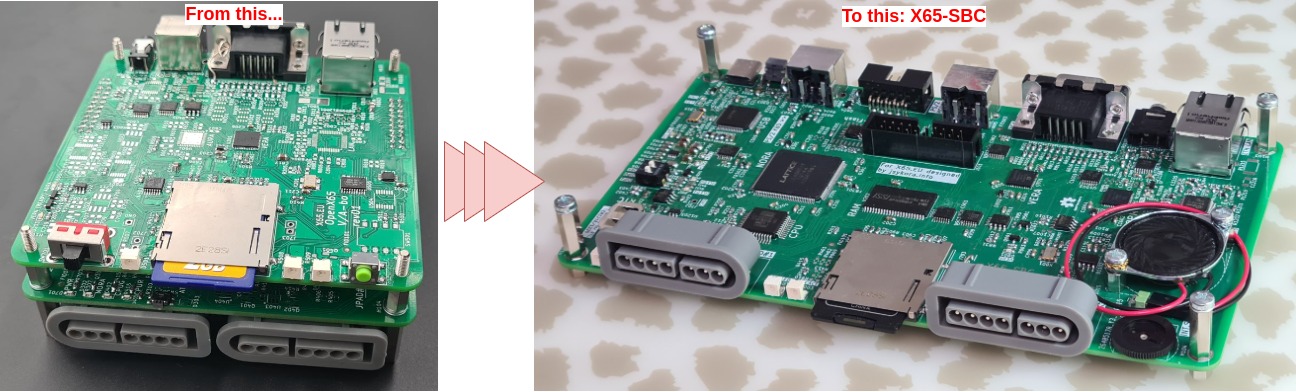
The single-board version fixes some of the electrical problems I had on the first version and it has way better signal integrity thanks to the 4-layer PCB. Other than that, the feature-set is basically identical.
-
added the mono speaker with volume control.
-
added (Olimex) UEXT connector - 2x5 pins connected to the NORA FPGA.
Posts
read more
Differences between the 65C02 and 65C816 Processors in 8-bit Mode
In X65 the assembled CPU is either the 8-bit W65C02S or 16-bit W65C816S. The W65C816S is (partially) compatible with W65C02S. This page summarizes the differences from the low-level hardware point of view and in the case that the 65C816 is running in the 8-bit Emulation Mode.
These two photos shows the processors assembled on X65 main board:


Processor Pinout Comparison
Both processors are available in the same QFP-44 package, so they could be assembled alternatively on the same PCB.
Posts
read more
AURA FPGA: The replacement of YM2151
This document discusses the FM sound synthesis in the Commander X16 and in my x65 computer.
Sound in Commander X16
Sound in Commander X16 is generated by two sources that are mixed together:
1) by the Programmable Sound Generator (PSG) in VERA FPGA, and
- by the MIDI FM-synthesis chip YM2151.
The following picture is a block diagram of the sound subsystem in C’X16:

The PSG in VERA FPGA is a stereo sound generator loosely based on SID. It supports 16 channels (voices) and PCM playback. There is no ADSR or filters. This must be provided by software. The PSG is an integral part of VERA FPGA user logic that also generates the VGA video output. MIDI-like sound synthesis is provided by YM2151. Yamaha called it an FM operator Type-M (OPM). This is how the chip looked like:
Posts
read more
SNES Controller Mess
SNES Controllers typically look like this:

SNES controller is a cheap and easy way how to add a joystick interface to a DIY project. One controller can be cheaply had from aliexpress or similar for around 2 USD.
The controller has just 12 digital (on/off) buttons organized in various patterns, as you see in the photo: D-pad, ABXY buttons, two shoulder buttons, start and select. There are no analog interfaces, no LEDs etc.
Posts
read more
Milestone: X16 ROM BASIC runs the first program!
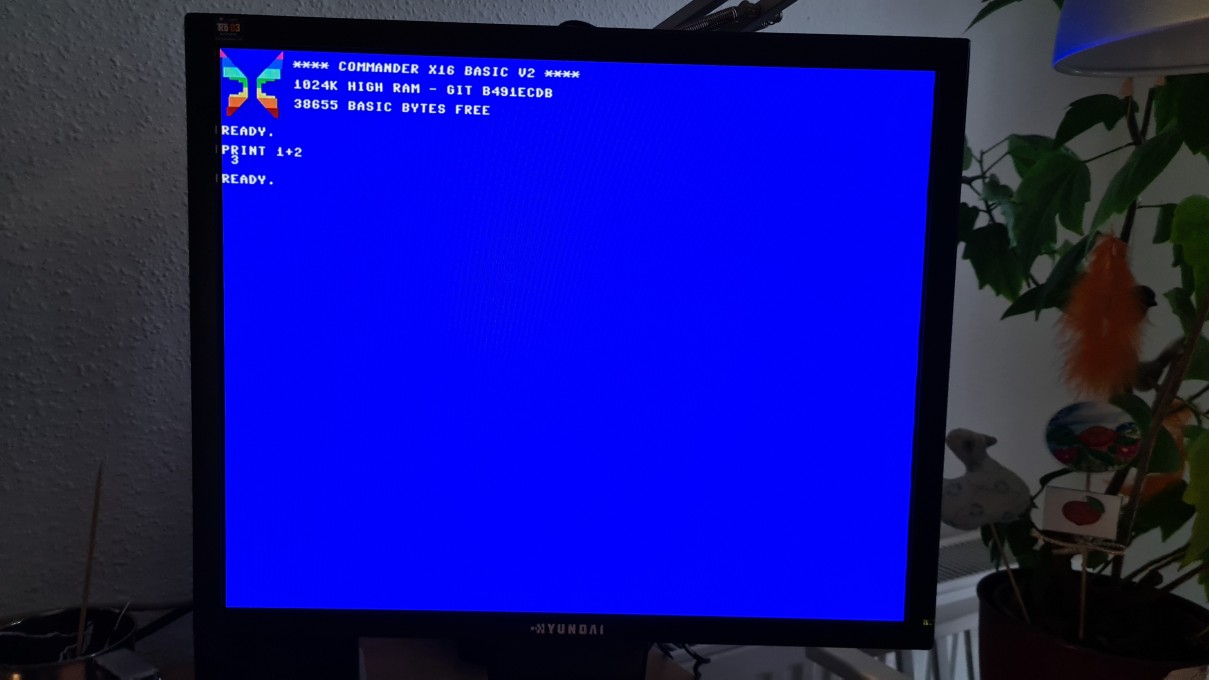
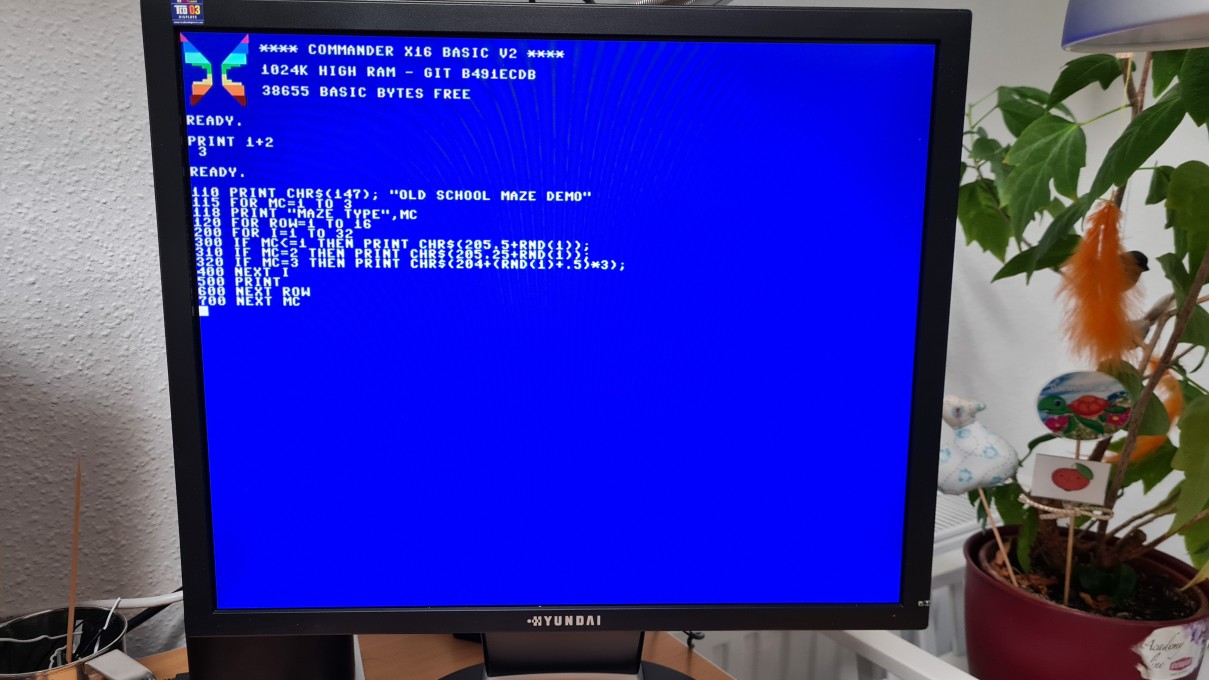
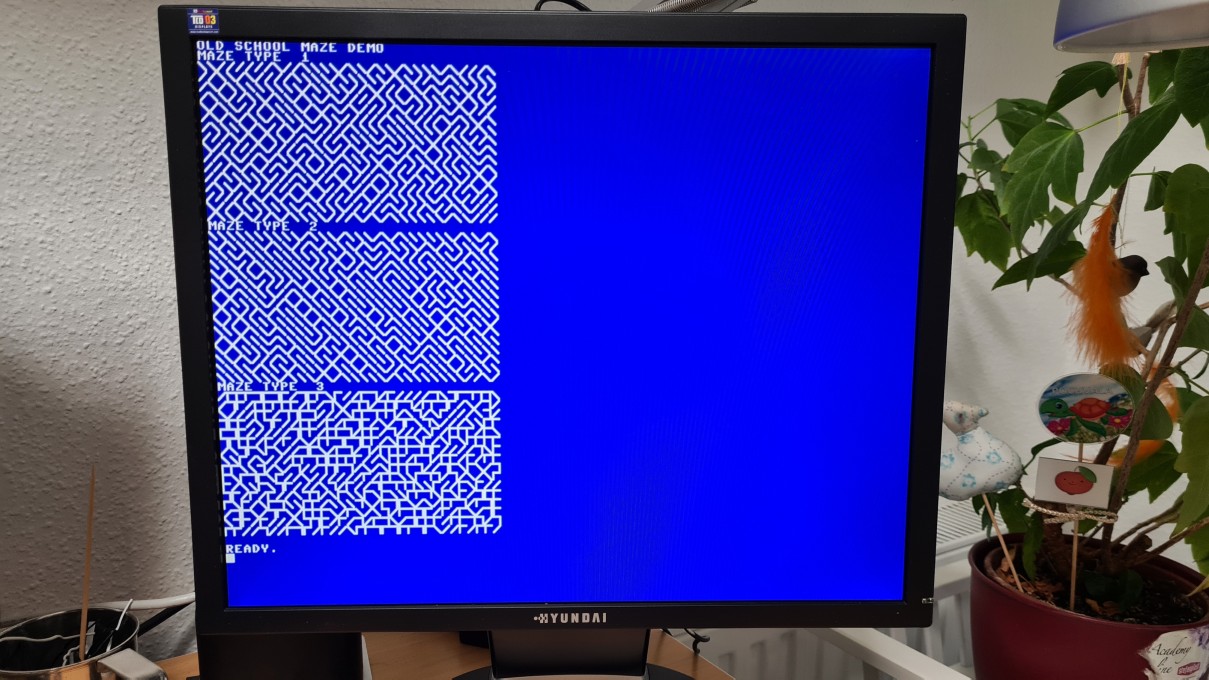
My Open-X65 project achieved a milestone: the unmodified X16 ROM can be loaded and runs! I manually typed in a BASIC maze program, which draws some ASCI graphics:
Posts
read more
Open-X65 GIT Repository
The Open-X65 GIT repository is now public:
Note: this is not a release! The project is very much a work-in-progress. You have been warned ;-)
Posts
read more
OpenX65 part-way assembled
Since the first post a lot of happened:
-
Motherboard PCB (bottom) has arrived, it is now part-way assembled with components and working quite well. First test-SW (a few instructions in a loop) is running OK.
-
I designed the second PCB (top) with video (VERA), audio (AURA - FM synth) and ethernet port. This was also manufactured, part-way assembled and now I have the first VGA video output.
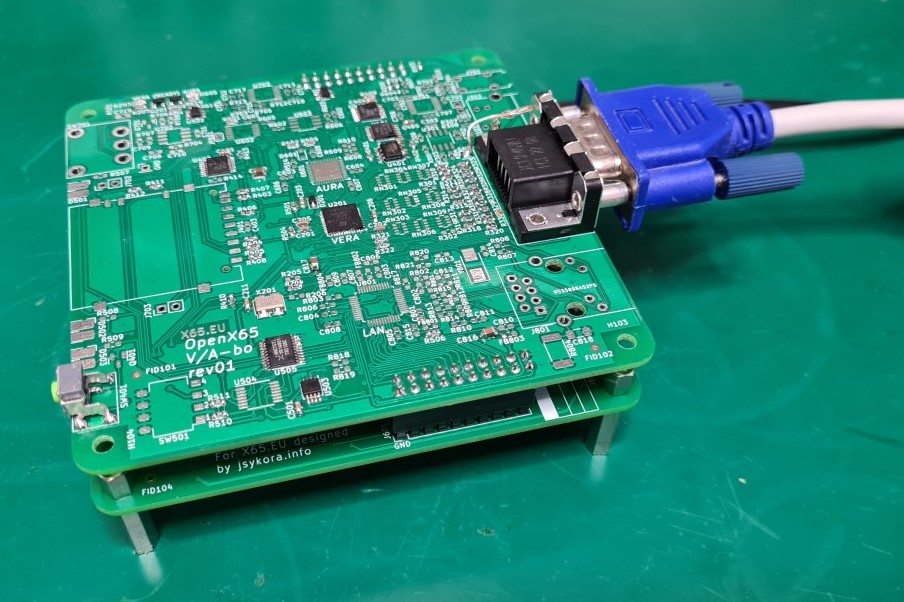
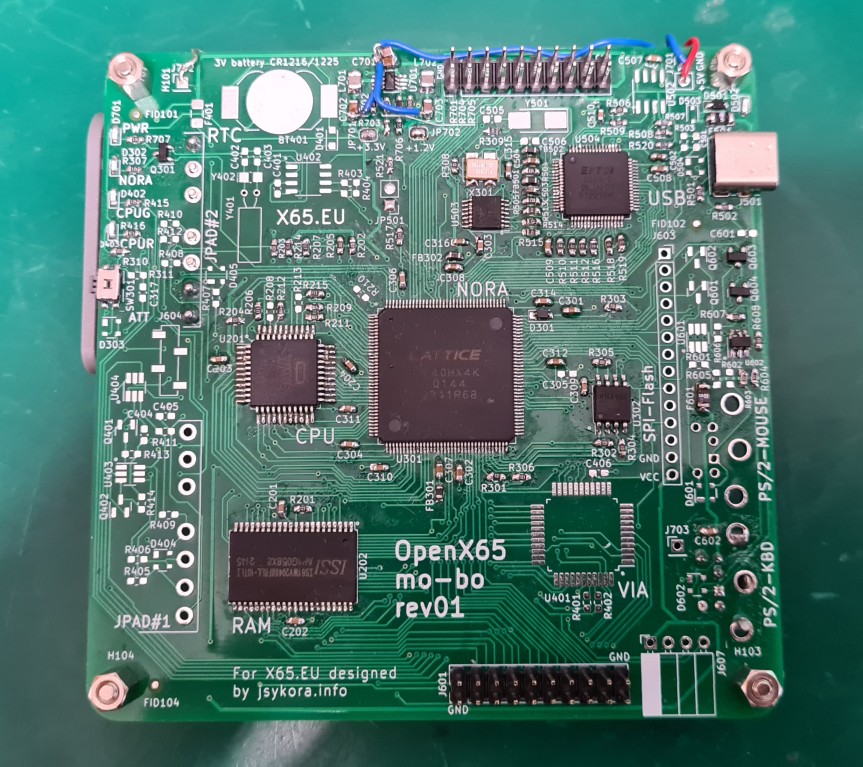
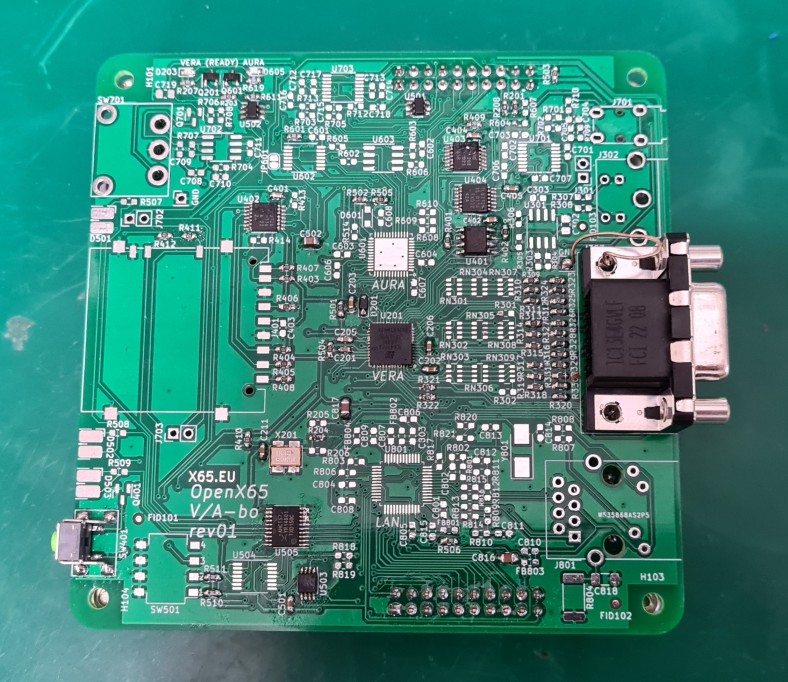
Posts
read more
My new 65C02-based retro-computer: OpenX65
I am starting a new hobby project called X65: I intend to create an open-source computer based on the “vintage” 6502 processor, which is still in production as the W65C02. The original 6502 was used in many home personal computers of the ’80s: Commodore, Atari, Apple II and so on. My computer will be called OpenX65.
Features as planned:
-
use W65C02 and (optionally) W65C816 (the 16-bit version) CPU
-
software compatibility with the Commander X16: a modern retro computer, developped by the 8-bit Guy